# 10 VSCode Extensions
## 1. Advanced New File
Quickly create new files directly from the command palette or use the keyboard shortcut.
Usage:
cmd + option/alt + n
author: [Dominik Kundel](https://marketplace.visualstudio.com/publishers/dkundel)
source: [Advanced New File - Visual Studio Marketplace](https://marketplace.visualstudio.com/items?itemName=dkundel.vscode-new-file)

---
## 2. Duplicate Action
It’s unbelievable that vscode doesn’t have a native file duplication option. But with this extension you can duplicate files directly from your VSCode sidebar.
Usage:
Open any file and Press F1, then select `Duplicate File`
-or-
Right-click on any file in the sidebar and select `Duplicate File`
author: [mrmlnc](https://marketplace.visualstudio.com/publishers/mrmlnc)
source: [Duplicate action - Visual Studio Marketplace](https://marketplace.visualstudio.com/items?itemName=mrmlnc.vscode-duplicate)
---
## 3. File Peek
Quickly view contents of linked files and view them in-line in the current document or jump directly to the file and open it in a new editor.
Usage:
Peek: Loads files inline cmd + shift + F2
Go To: Jump directly to file in new editor F12
Hover: Show the definition while hovering cmd + hover
author: [abierbaum](https://marketplace.visualstudio.com/publishers/abierbaum)
source: [File Peek - Visual Studio Marketplace](https://marketplace.visualstudio.com/items?itemName=abierbaum.vscode-file-peek)

---
## 4. Gist
Create and Edit gists directly from your VSCode editor. Pull content directly from Gists and create new files in your current code base.
Usage:
Use the command palette shift + cmd + p and one of the provided actions:
```
GIST: Create New Gist
```
```
GIST: Open Gist
GIST: Open Favorite Gist
```
```
GIST: Delete Gist
GIST: Delete File
GIST: Add File
GIST: Open Gist In Browser
GIST: Insert Text From Gist File
```
author: [Ken Howard](https://marketplace.visualstudio.com/publishers/kenhowardpdx)
source: [Gist - Visual Studio Marketplace](https://marketplace.visualstudio.com/items?itemName=kenhowardpdx.vscode-gist)

---
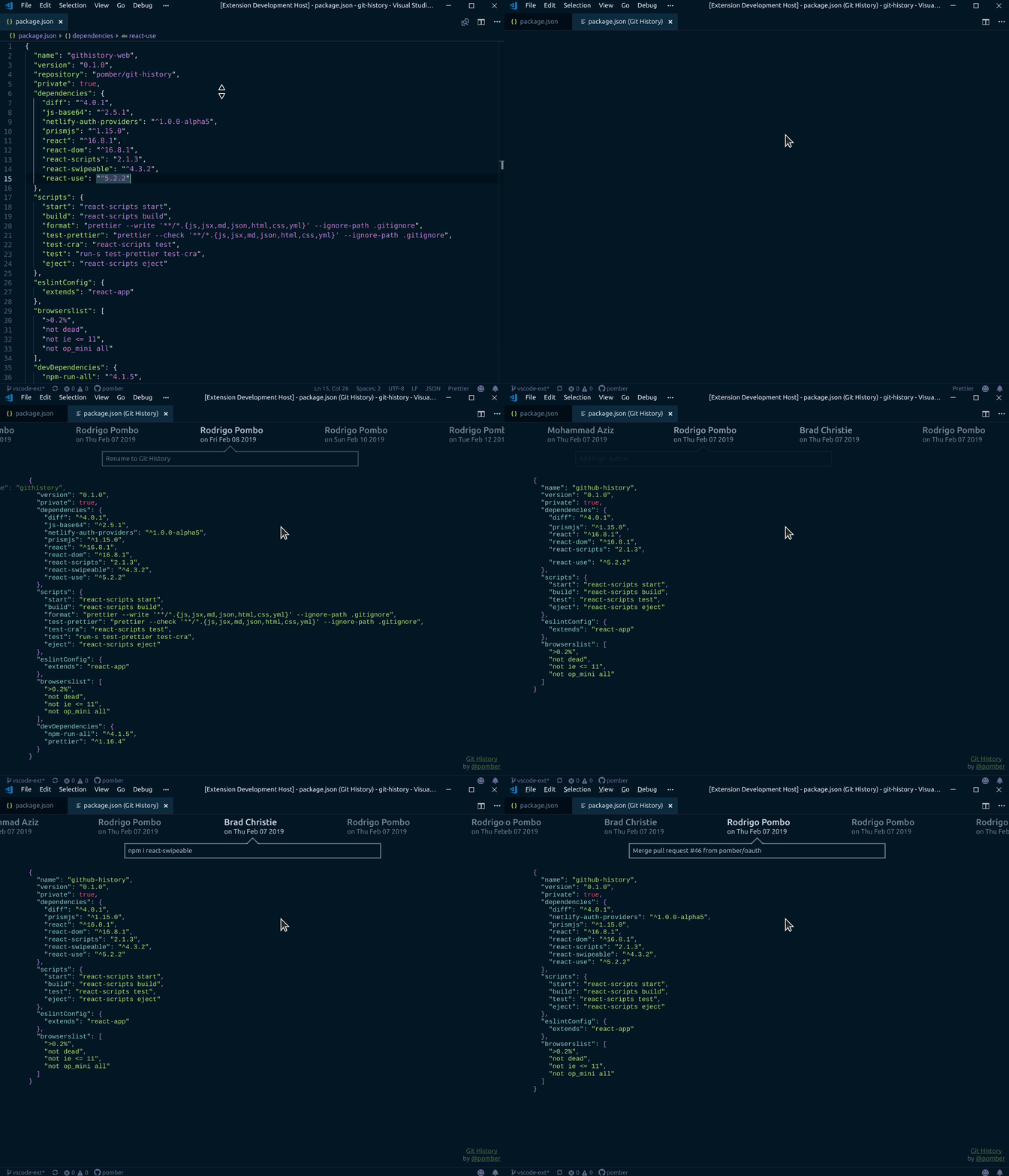
## 5. Git File History
Time travel any git version controlled file quickly and intuitively.
Usage:
Select `Git File History` fromt he command palette.
author: [Rodrigo Pombo](https://marketplace.visualstudio.com/publishers/pomber)
source: [Git File History - Visual Studio Marketplace](https://marketplace.visualstudio.com/items?itemName=pomber.git-file-history)
---
## 6. Surround
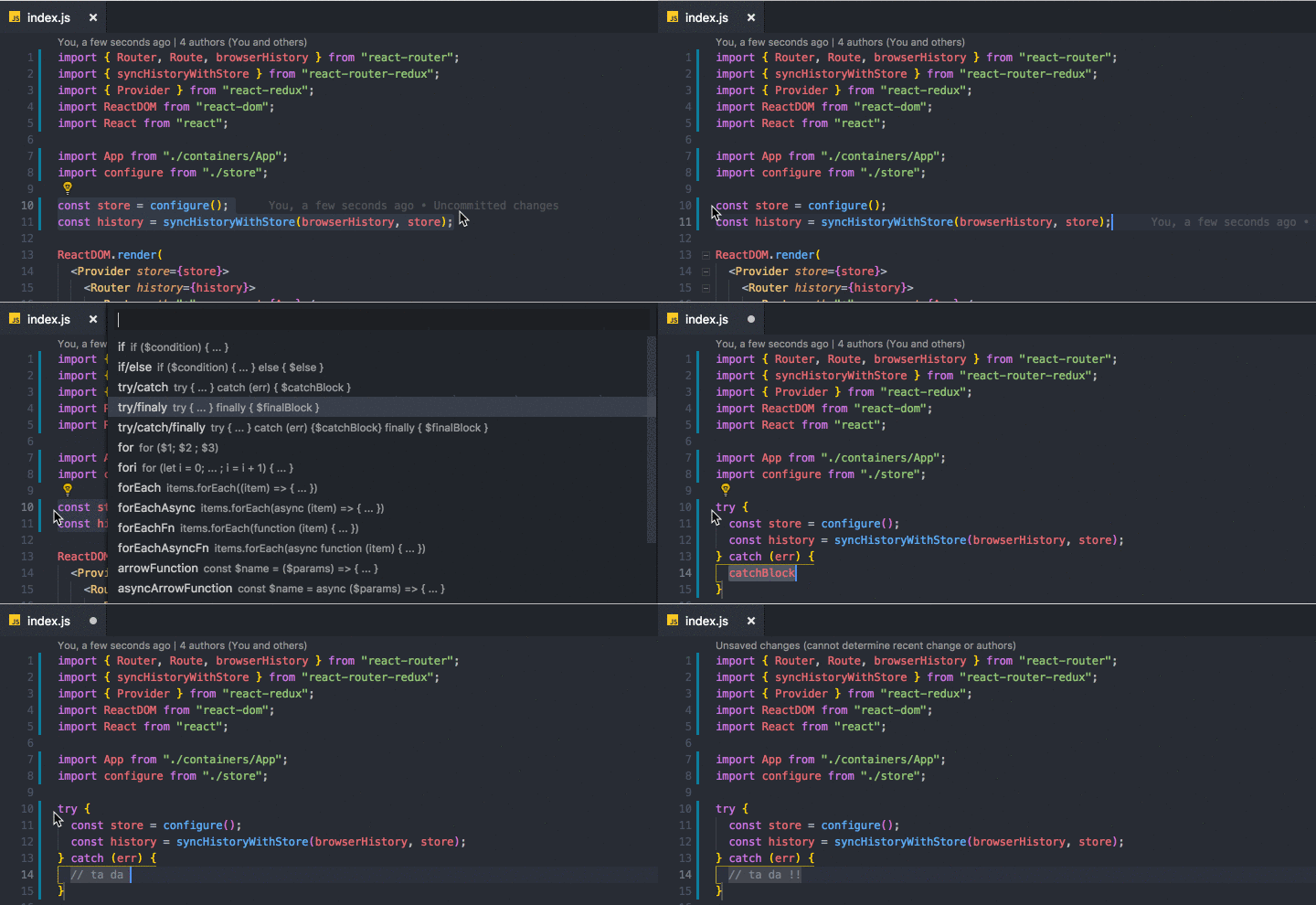
Easilly wrap your code block with wrapper snippets like "try/catch".
Usage:
- Select the snippet you want to wrap inside a code block,
- then right-click or press cmd + shift + t
- then select the type of wrapper you want to use from the dropdown
author: [Mehmet Yatkı](https://marketplace.visualstudio.com/publishers/yatki)
source: [Surround - Visual Studio Marketplace](https://marketplace.visualstudio.com/items?itemName=yatki.vscode-surround)
---
## 7. Search with Cursor
Search selected text with Google.
Usage:
- Highlight the text you need to search for
- then press shift + option + s
author: [hasefumi23](https://marketplace.visualstudio.com/publishers/hasefumi23)
source: [Search with cursor - Visual Studio Marketplace](https://marketplace.visualstudio.com/items?itemName=hasefumi23.search-with-cursor)

---
## 8. Template String Converter
Converts quotes to backticks when a $ and { are entered within quotes in JavaScript and TypeScript files.
Usage:
Works automatically, just enter `${}` into any string and the extension will convert the string into a template literal expression.
author: [meganrogge](https://marketplace.visualstudio.com/publishers/meganrogge)
source: [Template String Converter - Visual Studio Marketplace](https://marketplace.visualstudio.com/items?itemName=meganrogge.template-string-converter)

---
## 9. Turbo Console Log
Quickly write meaningful console.log statements to debug your code base easier. Also allows to globally comment out logs inserted by the extension on a per file basis. You can also customize the boilerplate template used to meet your own needs.
Usage:
Select the references you want logged out then press crtl + option + L
author: [ChakrounAnas](https://marketplace.visualstudio.com/publishers/ChakrounAnas)
source: [Turbo Console Log - Visual Studio Marketplace](https://marketplace.visualstudio.com/items?itemName=ChakrounAnas.turbo-console-log)
**NOTE: ** there seem to be several versions of this extension in the VSCode marketplace and I have not tried any of the others, so make sure you the the right version mentioned above.

---
## 10. Postcode
REST client that allows you to test your HTTP requests right from VSCode. There are several others (thunder client and RESTclient), but I find this to be the simplest, no bells/no frills.
Usage:
Select "Postcode" from the command palette.
author: https://marketplace.visualstudio.com/publishers/rohinivsenthil
source: [Postcode - Visual Studio Marketplace](https://marketplace.visualstudio.com/items?itemName=rohinivsenthil.postcode)

---
Hey everyone, I'm Gaurang, a full-stack developer that is constantly learning and building in public. I love that I was able to change my career at such a late stage in life all by learning online with so many different resources. I generate content to reinforce what I'm learning and to help others like me in the future.
If you enjoyed my content, please feel free to connect with me [wherever you spend your time online](https://links.gshahdev.com/all-links).